Have you ever sent a text message to someone and never received a response? You might start wondering if they’re just busy or if they’ve blocked your number. Getting blocked can feel frustrating, especially if you don’t know for sure. But how can you tell if someone blocked your number through text?
In this detailed guide, we’ll explore the signs that indicate someone may have blocked you, how your text messages and calls behave when blocked, and a few tricks to confirm it. Keep reading to find out the truth!
Signs That Someone May Have Blocked You
When someone blocks your number, they stop receiving calls and text messages from you. But most phone systems don’t notify you directly that you’ve been blocked. Instead, you have to look for subtle clues. Here are some telltale signs that someone may have blocked you:
- Your text messages never get delivered.
- You don’t receive any responses for a long time.
- Your calls go straight to voicemail or get cut off.
- You can’t see their online status on certain apps.
- Messages sent through other apps might go through, but SMS texts don’t.
If you’ve noticed one or more of these signs, it’s time to dig deeper.
Your Messages Are Not Being Delivered
One of the most obvious signs that someone has blocked your number is when your text messages stop getting delivered. Usually, when you send a text message, your phone shows a “Delivered” or “Read” receipt (depending on the recipient’s settings).
But if someone has blocked you:
- Your message might only show as “Sent” and never change to “Delivered.”
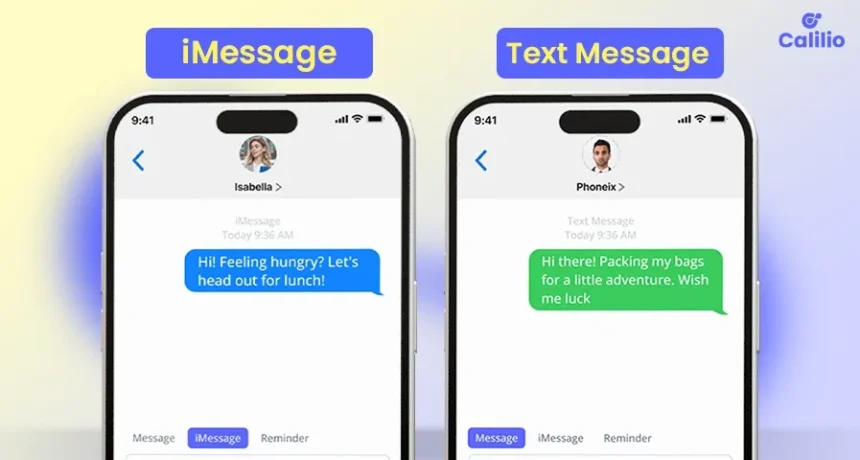
- On iPhones, your message bubble remains blue, but there’s no “Delivered” or “Read” indicator below it.
- On Android phones, your message might show just one checkmark instead of two.
While network issues or the recipient’s phone being off could cause this, repeated undelivered messages could mean you’ve been blocked.
No Replies for a Long Time?
Another major clue is the lack of response. If someone usually replies quickly and suddenly stops, it could be a sign they’ve blocked you.

Of course, there could be other reasons, like:
- They’re busy and haven’t checked their phone.
- Their phone is turned off or out of service.
- They’re taking a break from social media or messaging.
However, if your messages never seem to go through and they never respond, it’s worth investigating further.
Try Sending a Text from Another Number
If you suspect that you’ve been blocked, try texting the person from a different phone number. If your message gets delivered instantly from another number but not from yours, this is a strong indication that they’ve blocked your number.
Another trick is to send a message from a texting app that uses a different number, such as Google Voice or TextNow. If the message goes through on these apps but not via SMS, you’re likely blocked.
Call Them and See What Happens
A quick way to check if you’re blocked is by calling the person. Here’s what typically happens if someone has blocked you:
- Your call goes straight to voicemail after one ring or doesn’t ring at all.
- You hear a busy tone and then get disconnected.
- You try calling multiple times but always get the same result.
If this only happens when you call from your number but works fine when calling from another number, then you’ve probably been blocked.
Use Messaging Apps for More Clues
Many people use messaging apps like WhatsApp, Facebook Messenger, or Telegram in addition to regular text messaging. These apps can provide more clues about whether someone has blocked you:
- On WhatsApp, your messages will only show one gray checkmark instead of two.
- On Messenger, your messages may never say “Delivered” or “Seen.”
- On Telegram, you won’t see their “Last Seen” status anymore.
If these patterns match your experience, it’s another sign you might have been blocked.
What Happens to Your Calls and Voicemails?
When someone blocks you, your calls behave differently. Typically:
- Calls go straight to voicemail after one ring (or don’t ring at all).
- If they have voicemail set up, you can still leave a message, but they won’t receive a notification about it.
- If their voicemail is full, you might not even be able to leave a message.
These signs alone don’t guarantee that you’re blocked, but when combined with other clues, it makes a stronger case.
Can You Still See Their Online Status?
On some messaging apps, like WhatsApp and Facebook Messenger, you can usually see when someone is online or when they were last active. If you were able to see their status before but now you can’t, it could mean they’ve blocked you.
However, keep in mind:
- Some people turn off their “Last Seen” status for privacy reasons.
- If they delete their account, you also won’t see their status.
- If they changed their settings, you might just be restricted from viewing their status.
If you notice multiple signs along with the disappearance of their online status, you might be blocked.
Try These Final Tricks to Be Sure
If you’re still unsure whether someone blocked your number, try these final methods:

Send a Message with a Different App
Try sending a message through an alternative messaging app like:
- Facebook Messenger
- Snapchat
- Instagram DMs
If your message goes through on these apps but not via SMS, that’s a strong sign they blocked your number.
Ask a Friend to Text Them
If you’re comfortable with it, ask a mutual friend to text the person. If their message goes through but yours doesn’t, you’ve likely been blocked.
What to Do If Someone Blocked You
If you confirm that someone has blocked you, here are some things to consider:
- Respect their decision – If they blocked you, they likely have a reason.
- Give them space – Don’t keep trying to contact them through different numbers or apps.
- Reflect on the situation – Consider if there was a misunderstanding and whether it’s worth trying to fix things.
- Move on – Sometimes, it’s best to accept it and focus on other relationships.
The Bottom Line
Finding out whether someone blocked your number through text can be tricky, but there are several ways to tell. If your messages never get delivered, your calls go straight to voicemail, and you can’t see their online status anymore, chances are they’ve blocked you.
The best thing to do if someone has blocked you is to respect their choice. If it’s important, you can try reaching out through another method, but avoid being pushy. Instead, focus on maintaining healthy relationships and moving forward positively.
If you found this guide helpful, share it with others who might be wondering the same thing!